Urmi documentation
Urmi is an AI-powered visual page and theme builder for WordPress, with a built-in connection for AI assistants. Start here.
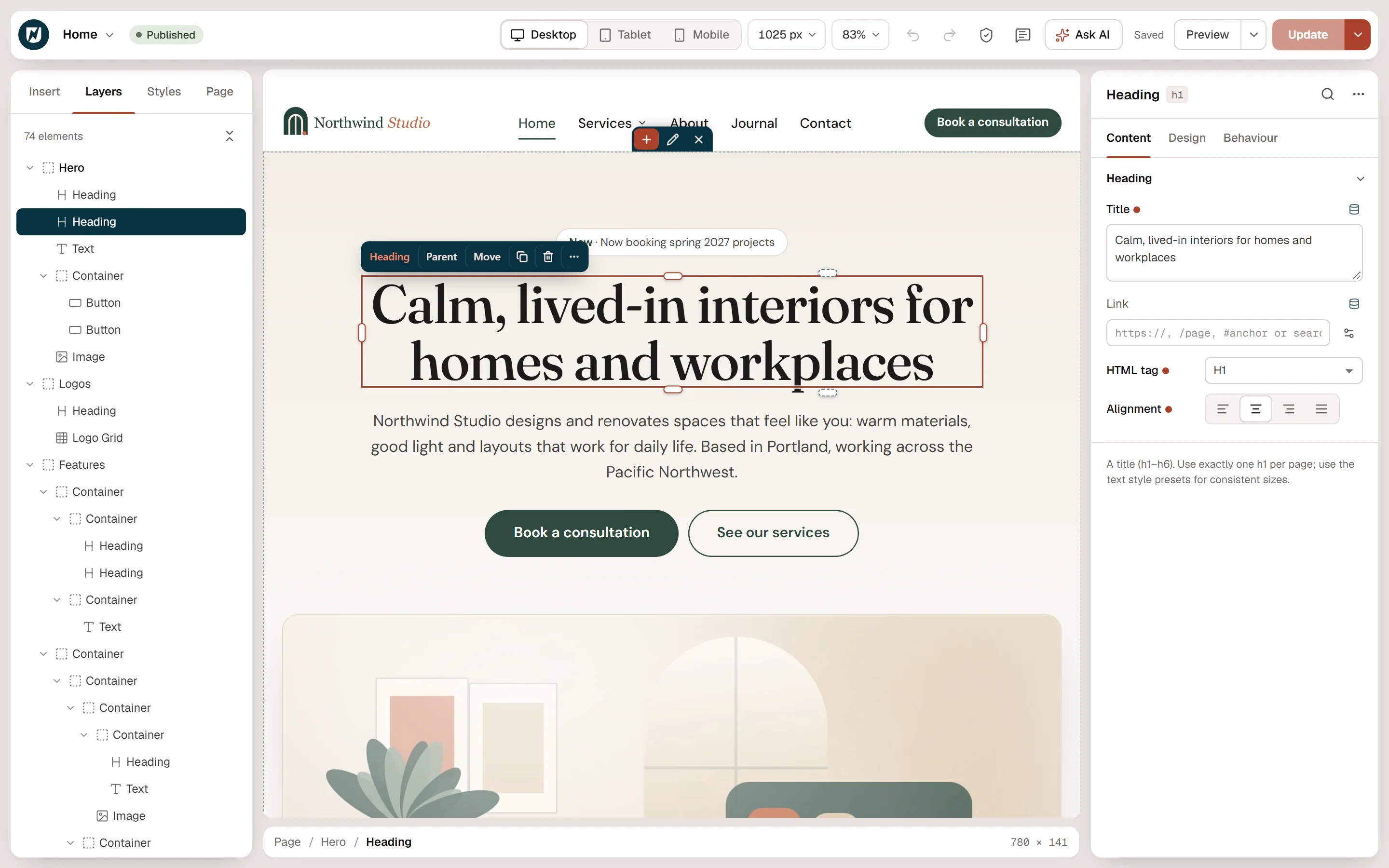
Urmi is a visual website builder for WordPress. You design pages by dragging widgets onto a live canvas, you build your theme's header, footer and page layouts in the same editor, and you keep everything consistent with one Design System of colors, fonts and buttons.
Urmi also has a built-in MCP server, off until you turn it on. You can connect Claude, ChatGPT, Cursor or another AI assistant and ask it to build or change your site. The AI works with the same elements you edit by hand, so everything it makes stays editable in the visual editor.
Urmi is free and open source (GPL). There is no account to create and no tracking.
What you can build
- Pages of any kind, from a single landing page to a full site, with flexbox and grid containers and 80 widgets.
- Your theme: headers, footers, blog posts, archives, search results and the 404 page, each shown where you choose with conditions.
- Popups with triggers such as scroll, exit intent or a click, and rules for who sees them and how often.
- Forms that save submissions, send email and connect to newsletter services.
- Dynamic pages that show posts, custom fields and site details, with loop grids, carousels and filters.
- Multilingual sites with WPML or Polylang.
Start here
Explore by topic
How these docs work
Each page answers one question, like "How do I make a header sticky?". Steps use the exact labels you see on screen, in bold. Keyboard shortcuts are shown for Windows; on a Mac, use ⌘ instead of Ctrl.
Press Ctrl+K (or ⌘+K on a Mac) anywhere in these docs to search.
New to page builders? Read Key concepts first. It explains containers, widgets, templates and conditions in five minutes.