Archives & search results
Design blog, category, tag, author and search results pages.
On this page
Archive templates design the pages that list posts: the blog page, category and tag pages, author and date archives, and archives of custom post types. A Search results template designs the page visitors see after a search. Both usually combine a title with a Loop Grid that shows the posts of the page being viewed.
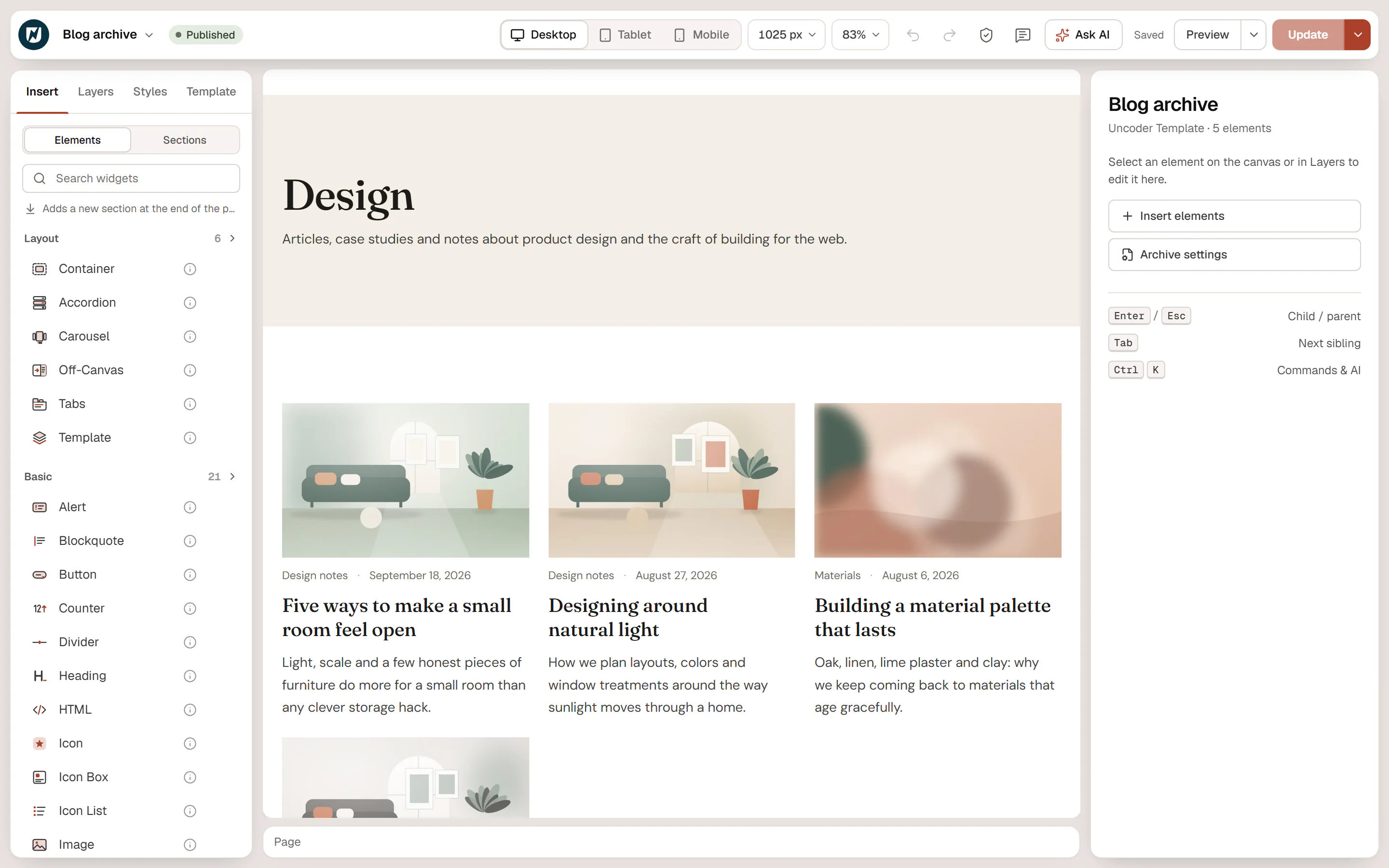
Design an archive page
Create the template
Go to Urmi → Theme Builder → New template, choose Archive and click Create and open editor. It applies to all archives once published.
Add the title
Add an Archive Title and an Archive Description widget. On a category page they show the category's name and description; on the blog page, the title of your posts page.
Add the posts
Add a Loop Grid, choose a loop item template and set Source to Current query (archives). Choose a Pagination style: the grid then pages through the archive's own posts.
Publish
Click Publish.
Current query (archives) always shows the posts of the page the visitor is on: the posts of that category, that author, that month or that search. How many posts appear per page comes from Settings → Reading → Blog pages show at most in WordPress. In the editor there is no archive to show, so the grid previews your latest posts.
Different layouts for different archives
Use conditions to give some archives their own template. In the Archives rule, choose All archives, a post type archive (such as Posts) or a taxonomy archive (such as Categories), and optionally pick specific terms. Other rules for archives: Blog (posts page), Author archives and Date archives. The most specific template wins, so a template for the "Materials" category beats the one for all archives. See Template conditions.
Design the search results page
Create a template of type Search results (it applies to search results by default) and add:
- An Archive Title: it reads "Search results for “…”" with the visitor's words.
- A Search Form, so visitors can refine their search.
- A Loop Grid with Source: Current query (archives) and a Nothing found message, for example "Nothing matched your search. Try other words."
You can also reuse your archive layout for searches: add a Search results include condition to the Archive template. When no Search results template matches, search pages then use the archive template. (The Archives rule alone does not cover search results.)