Mega menus
Build rich dropdown menus with any widgets and attach them to menu items.
A mega menu is a large dropdown panel that opens from an item of your main menu, with columns of links, icons, images, a featured project or a call to action. You design the panel as a Mega menu template with any widgets, then attach it to a top-level menu item. The Nav Menu widget in your header then shows the panel instead of a plain list of sub-items.

Build the panel
Create the template
Go to Urmi → Theme Builder → New template, choose Mega menu, name it (for example "Services menu") and click Create and open editor.
Design the content
Add a row container with columns. Icon List works well for groups of links; add a Heading above each group, an Image Box for a featured page, or a Button. Give the link columns a fixed width so they do not get squeezed by a wide image next to them.
Publish
Click Publish. Only published mega menus show on the site.
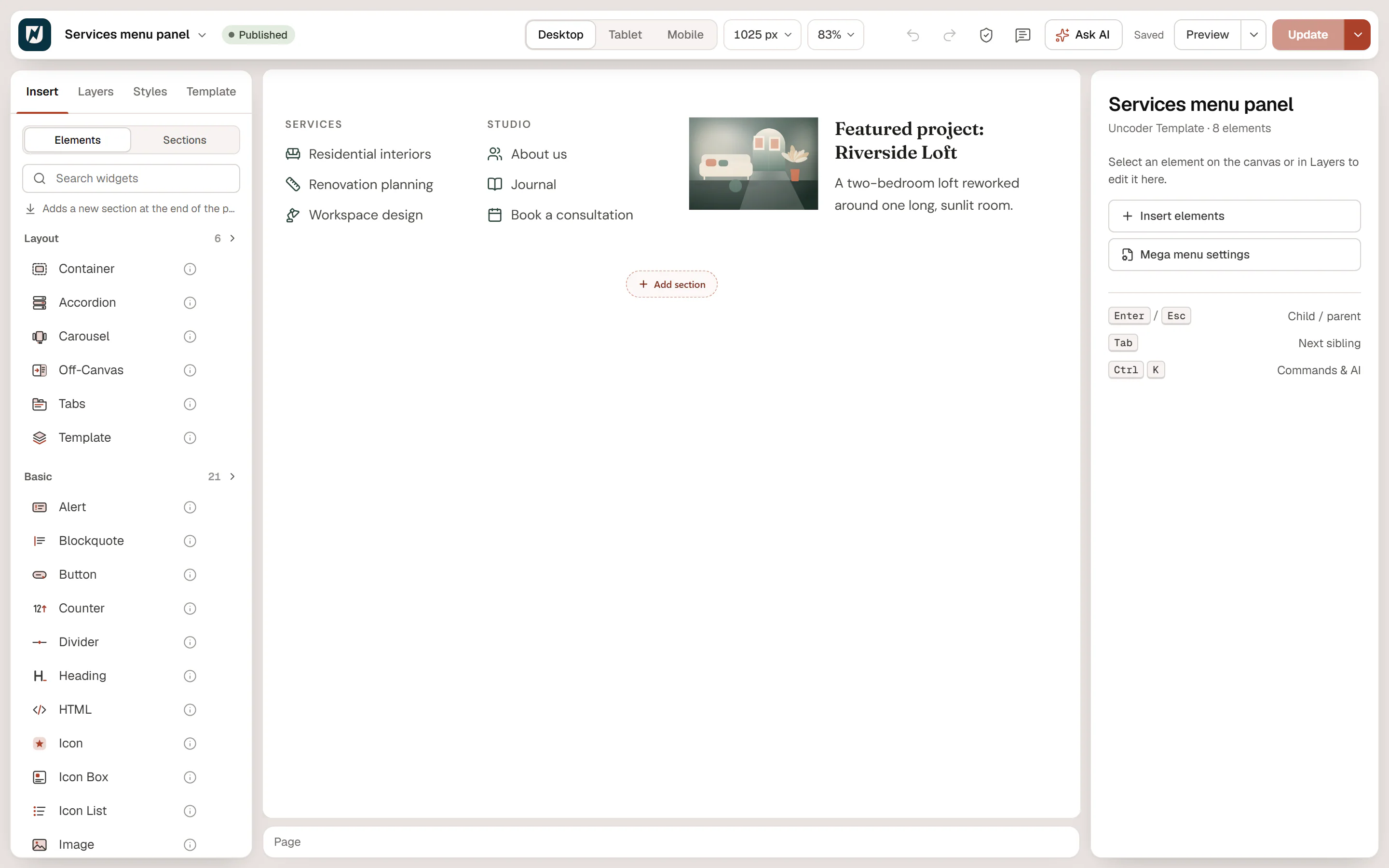
Attach it to a menu item
Open your menu
In WordPress, go to Appearance → Menus and select the menu used by your header's Nav Menu widget.
Open the menu item
Click the arrow on a top-level item, for example "Services". Mega menus can only be attached to top-level items.
Choose the panel
In Urmi mega menu, pick your template (drafts are marked, and do not show until published). Choose the Panel width:
Panel width What it does Site container As wide as your site's content area, centered under the header. Full width The full width of the browser window. Fit content As wide as the panel's own content, under the menu item. Save
Click Save Menu. To go back to a normal dropdown, choose — None (regular dropdown) —.
Block themes normally hide Appearance → Menus. Urmi brings that screen back when a block theme is active, so you can manage menus and mega menus there with any theme. A connected AI assistant can also attach the panel, for example: "Use the Services menu template as the mega menu of the Services item in the main menu."
How it opens
- The panel opens like any dropdown of the Nav Menu widget: on hover or on click, depending on its Open submenus on setting. It works with the keyboard too.
- The mega menu replaces the item's sub-items. Keep the sub-items in the menu anyway if you like: they are not shown while a mega menu is attached.
- In the mobile menu (below the widget's breakpoint), the panel's content shows inside the menu, under its item.
- On multilingual sites, each language shows its own translation of the panel when there is one. See Multilingual sites.
In the Theme Builder, mega menus are listed under Reusable → Mega menus, with "Attached to menu items" in place of display conditions.