Site tools
Regenerate CSS, find and replace across the whole site, and export or import your design.
Urmi → Settings → Tools has four maintenance tools: rebuild Urmi's stylesheets, change a text, link or color everywhere at once, and export or import your design. Below them are Version rollback and System info.
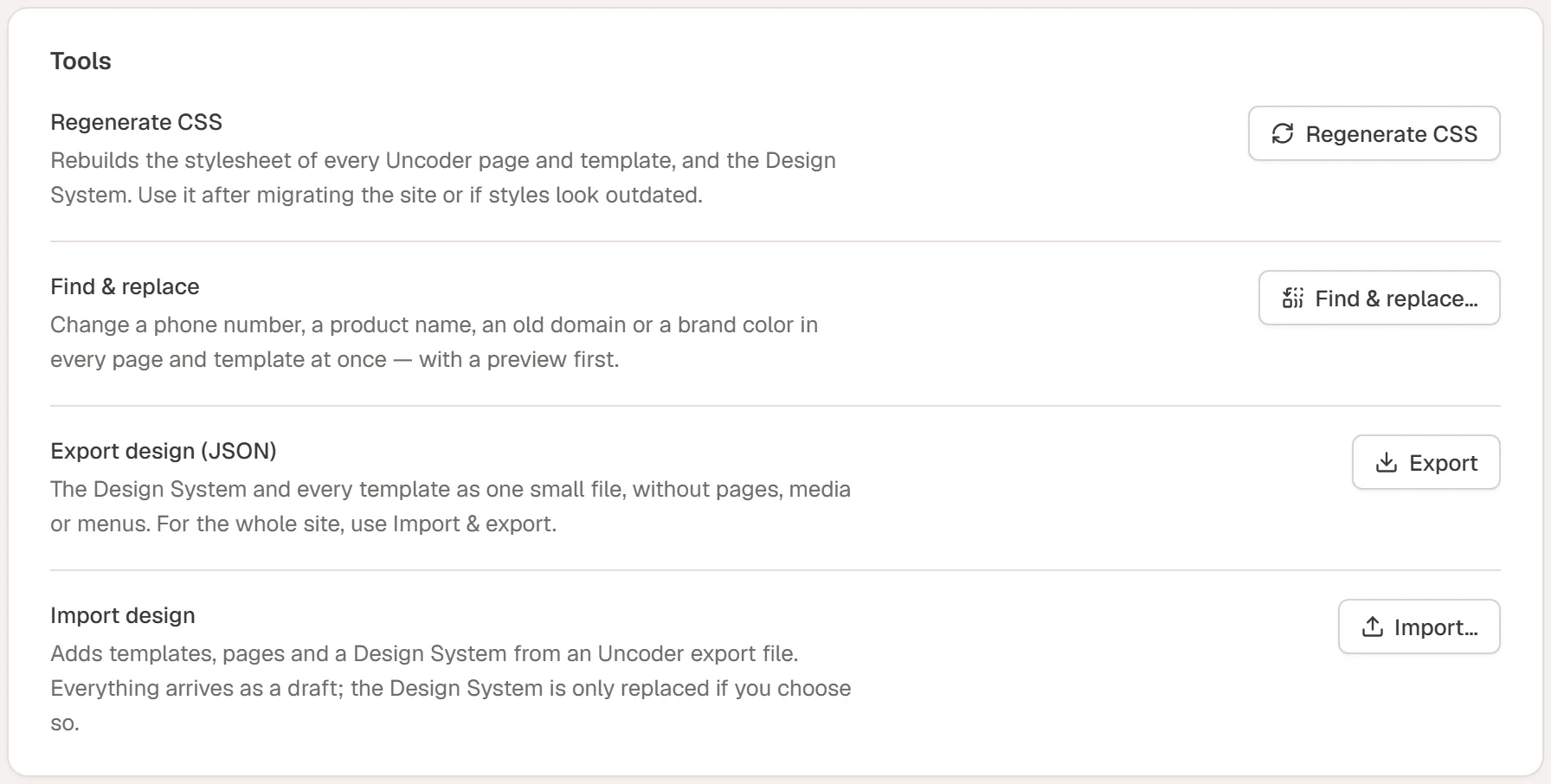
Regenerate CSS
Urmi writes the styles of each page and template, and of the Design System, into CSS files. Regenerate CSS rebuilds all of them.
Use it when:
- styles on the site look outdated or different from the editor
- you moved the site to another address or server
- you restored a backup or imported content with another tool
Click Regenerate CSS. When it is done, the row says how many stylesheets were rebuilt and how long it took. Then clear the cache of your caching plugin, if you use one. See Performance.
If the uploads folder is not writable, the card shows a warning: Urmi then prints the styles into each page instead. Ask your host to make the uploads folder writable for faster, cacheable files.
Find & replace across the site
Change a phone number, a product name, an old domain or a brand color in every page, post and template at once, with a preview first.
Open the dialog
Click Find & replace….
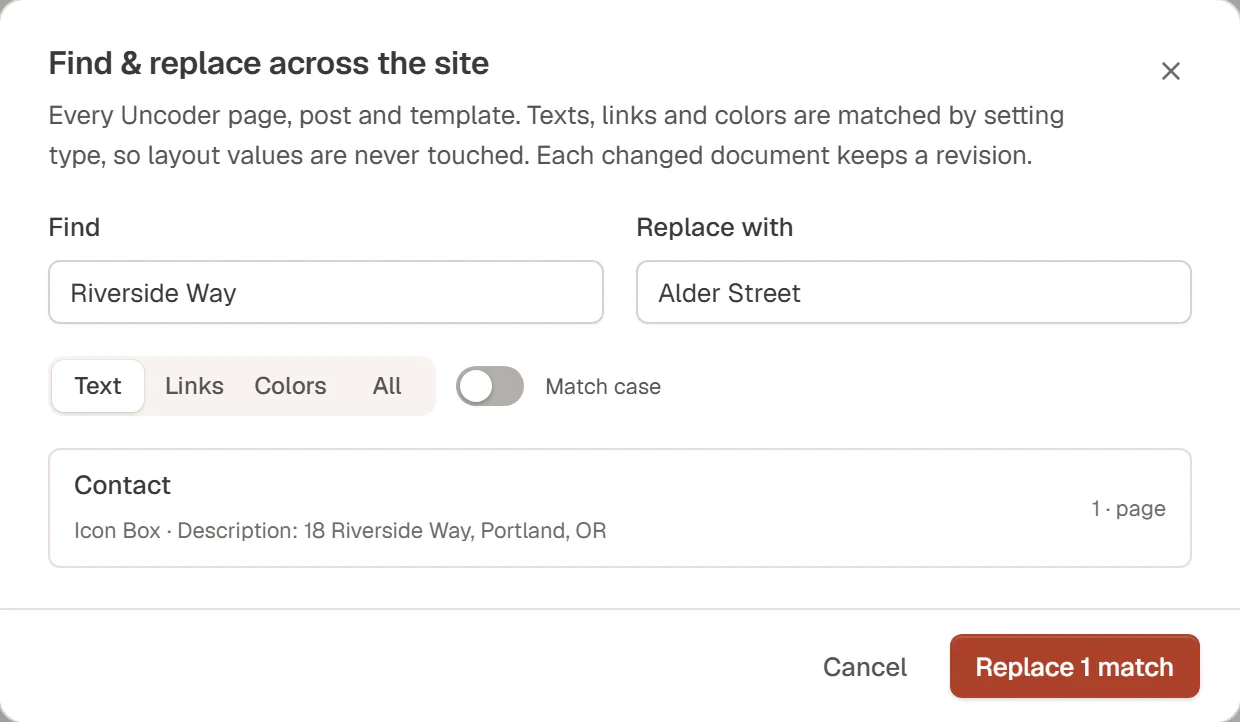
Enter what to find and the replacement
Type into Find and Replace with.
Choose where to look
Pick Text, Links, Colors or All, and turn on Match case if upper and lower case matter.
Preview
Click Preview. The dialog lists every page and template with matches, the number of matches and where they are (for example Icon Box · Description: 18 Riverside Way, Portland, OR).
Replace
Check the list, then click Replace … matches.
| Search in | Looks at |
|---|---|
| Text | Headings, paragraphs, button labels and every other text or rich-text setting. |
| Links | Link and URL settings, for example an old domain in buttons, images and icon links. WordPress menus are not changed. |
| Colors | Color settings, including colors inside backgrounds, borders and shadows. Type the color the way it is saved, for example #1f4d3a. |
| All | All of the above. |
Because Urmi matches by the type of setting, replacing a word never changes a layout or style value by accident. Each changed page and template gets a WordPress revision, so you can go back from its history.
Find & replace only changes Urmi designs. Text in the classic or block editor, in widgets of your theme or in other plugins is not touched. To change a color used everywhere, change it in the Design System instead. To search one page only, use Find & replace in the editor.
Export design (JSON)
Click Export to download your Design System and every Theme Builder template as one small .json file, without pages, media or menus. It is handy as a design backup or to move your templates to another site. See Export & import templates.
For the whole site, including pages, menus and images, use a site kit.
Import design
Click Import… to bring in templates, pages and a Design System from an Urmi export file. Everything arrives as a draft, and your Design System is only replaced if you tick Replace the Design System. See Import templates.