Custom icons
Upload icon sets from IcoMoon or Fontello, or your own SVG files.
On this page
Urmi includes several thousand icons from Lucide, Font Awesome, Phosphor, Bootstrap Icons, Feather, Heroicons and Themify. If you need your own icons, such as a logo mark or icons from your brand guide, upload them as a custom icon set. They then appear under Custom in every icon picker.
What you can upload
- An IcoMoon export: the
.zipyou download from IcoMoon (it containsselection.json). - A Fontello export: the
.zipyou download from Fontello. - SVG files: one or more
.svgfiles, up to 1 MB each.
A set can hold up to 3,000 icons, and a zip file can be up to 20 MB.
Upload an icon set
Open Custom icons
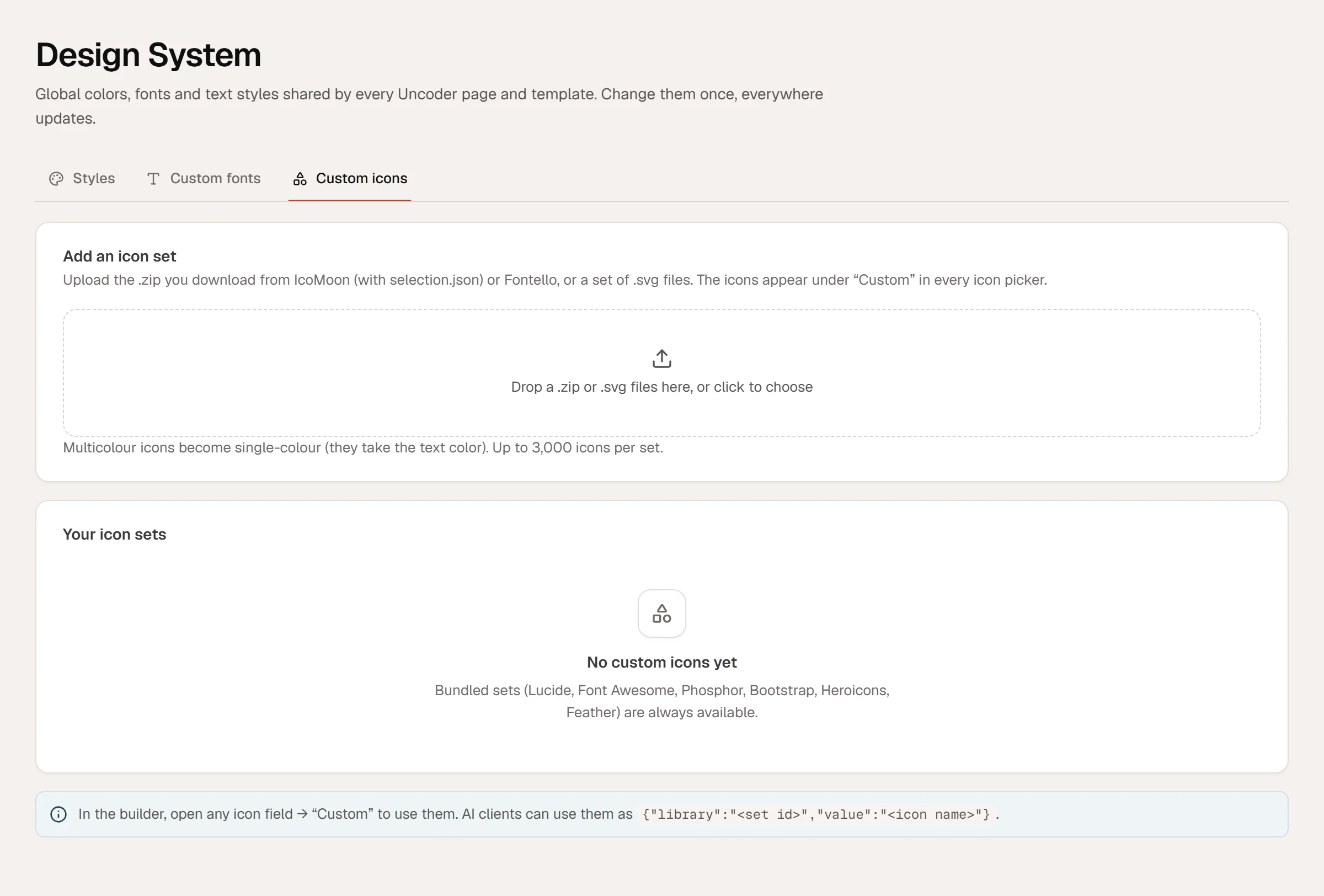
Go to Urmi → Design System and click the Custom icons tab.
Add the files
Drop a
.zipor.svgfiles onto the area that says Drop a .zip or .svg files here, or click to choose, or click it to pick the files.Wait for the conversion
Urmi converts the icons (Converting icons…) and confirms, for example, Added “Northwind” with 24 icons.
The set appears under Your icon sets, with the number of icons, the source (IcoMoon, Fontello or SVG files), its ID and a preview. A zip set is named after the zip file; SVG uploads are named My icons.
Icons are stored as SVG code, so your pages never load an icon font. Multicolor icons become single-color: they take the text color of the element, like all other icons.
Use your icons
After uploading, reload any open editor. Then:
- Select an element with an icon, such as an Icon, Icon Box or Button.
- Click the icon field to open the Icon library.
- Choose your set under Custom, or search for an icon by name.
In the icon library you can also click Upload an SVG to use a single SVG file from the Media Library, without creating a set.
Delete an icon set
Click the trash icon on the set and confirm. Icons from this set that are already on pages stop showing, and this cannot be undone, so replace them first.
Troubleshooting
| Message | What to do |
|---|---|
| No selection.json (IcoMoon), SVG font (Fontello) or SVG files in this zip. | Upload the zip exactly as downloaded from IcoMoon or Fontello, or upload the SVG files themselves. |
| The zip is too large (20 MB at most). | Remove unused icons from the set and export it again. |
| No icons were found in this upload. | Check that the SVG files contain paths or shapes, not embedded images. |
| This server cannot open zip files. | Ask your host to enable zip support in PHP, or upload the SVG files instead. |
Uploading icon sets is available to administrators.