Find & replace
Find and replace text, links and colors on the page you are editing.
Find & replace changes every occurrence of a word, a link or a color on the page in one go: a new phone number, a renamed service, a brand color that changed shade.
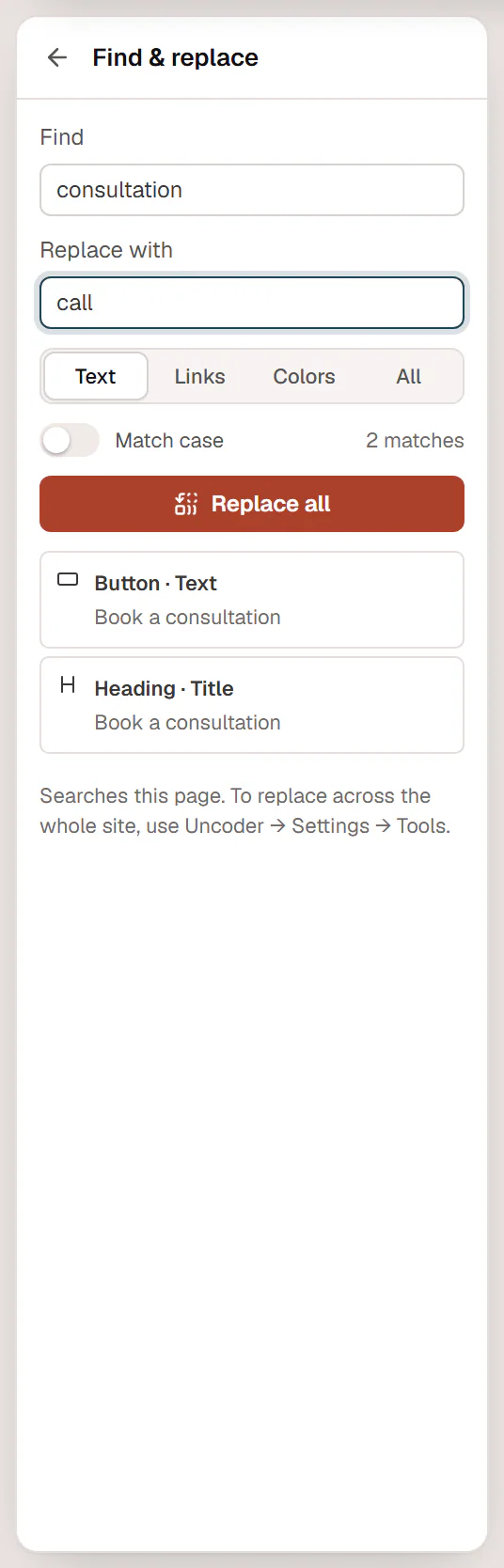
Replace on this page
Open the panel
Open the Urmi menu in the top-left corner and choose Find & replace, or press Ctrl+K and type
find.Choose what to search
Pick a scope:
- Text: headings, paragraphs, button labels and other text fields.
- Links: the addresses of links and buttons, for example
https://old-domain.com. - Colors: color values typed into color fields, including those in backgrounds, borders and shadows, for example
#1f4d3a. - All: the three together.
Type what to find
Type in Find. The panel shows the number of matches and lists each one with the element, the field and a short excerpt. Click a match to select that element on the canvas. Turn on Match case to find only the exact capitalization (colors always ignore case).
Replace
Type the new value in Replace with and click Replace all. The editor confirms how many matches it replaced.
Replacing is one step in your undo history: press Ctrl+Z to undo it. Nothing is live until you save or update the page.
Good to know
- There is no single replace: Replace all changes every match in the list. Check the list before you click it.
- An empty Replace with deletes every match.
- Matching is by part of a word:
#fffalso matches inside#ffffff, andplaninsideplanning. Type enough to be specific. - Items inside widgets (such as accordion items or list rows) and the texts and links of component copies are included.
- Not searched: the page title, page settings, and colors that come from the Design System. To change a brand color everywhere, change it in the Design System instead.
Replace across the whole site
To replace text or links on every page, template and post at once, go to Urmi → Settings → Tools and click Find & replace…. The panel in the editor reminds you: Searches this page. To replace across the whole site, use Urmi → Settings → Tools. See Site tools.