Privacy
How form data is stored and what you can do to handle it responsibly.
On this page
Forms collect personal data: names, email addresses, messages, sometimes files. This page explains what Urmi stores, where, for how long, and the tools it gives you to answer visitors who ask for a copy of their data or want it deleted, plus a suggested text for your privacy policy.
What is stored
For every saved submission, Urmi keeps:
- the answers to the form's fields, and any uploaded files;
- the page it was sent from and the time;
- the visitor's browser (user agent) and an anonymized IP address (the last part is replaced by zeros);
- the user ID, when the visitor was logged in.
Submissions are stored in your WordPress database and listed in Urmi → Submissions; nothing is sent to Urmi or any other company unless you turn on a CAPTCHA or an action that passes answers on (see below). Uploaded files are kept in a protected folder of your uploads directory that cannot be opened from the web; only administrators can download them.
If you do not need to keep submissions at all, turn off Save submissions in the form's Actions after submit and rely on the email notification. Notification emails, of course, stay in your mailbox.
How long it is kept
- Spam is deleted automatically after 30 days.
- Everything else is kept until you delete it, unless you set Urmi → Settings → Forms → Stored submissions → Delete submissions after a number of days. Submissions older than that, and their files, are then deleted once a day. See Submissions.
Answer personal data requests
WordPress has tools for requests under privacy laws such as the GDPR, and Urmi's submissions are part of them:
Create the request
In WordPress, go to Tools → Export Personal Data (for a copy) or Tools → Erase Personal Data (for deletion), type the person's email address and send the confirmation request.
Wait for the confirmation
The person confirms the request from the email WordPress sends them.
Export or erase
Back in the list, click Download personal data (or Send export link), or Erase personal data.
Urmi finds every submission that contains that email address in any field, and every submission sent while logged in as the matching user account.
- Export adds a Form submissions group to the file: for each submission, the form, when it was sent, the page, every answer, the anonymized IP address and the browser.
- Erase deletes those submissions and their uploaded files. Copies in email notifications or in other services (a newsletter list, a webhook) are not affected: remove them there.
Suggested privacy policy text
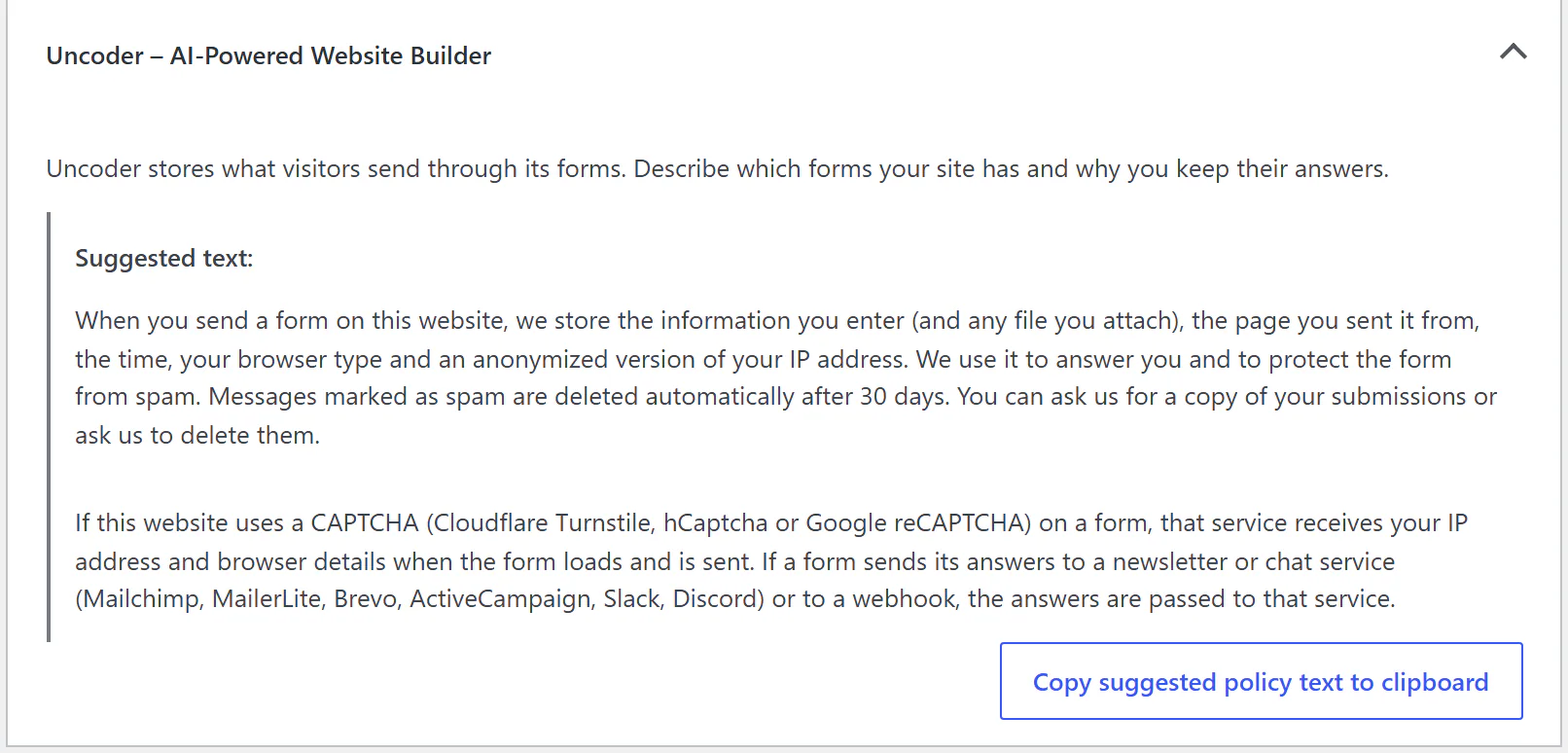
Urmi adds a suggested paragraph to WordPress's policy guide. Go to Settings → Privacy, open Policy Guide and find Urmi – AI-Powered Website Builder under Policies. Click Copy suggested policy text to clipboard and paste it into your privacy policy page, then adapt it: name your forms, say why you keep the answers and, if you set one, how long.
The text covers the stored data, spam deletion after 30 days, and the services that receive data when you use them: CAPTCHA providers (Cloudflare Turnstile, hCaptcha, Google reCAPTCHA), newsletter services (Mailchimp, MailerLite, Brevo, ActiveCampaign), Slack, Discord and webhooks.
Good practice
- Ask only for what you need. Every extra field is extra personal data.
- Ask for consent where it is required. Add an Acceptance (consent) field with a link to your privacy policy in its Consent text. For newsletters, use it as the Consent checkbox field so only people who agree are added. See Newsletter services.
- Mention third-party services. If a form uses a CAPTCHA, a newsletter service, Slack, Discord or a webhook, say so in your policy.
- Set a retention period that matches why you collect the data.
- Limit who can see submissions. Editors can read them; only administrators can export, download files and delete. See Roles & access.
When you delete Urmi with Remove all data on uninstall turned on, all submissions and uploaded files are deleted too. See Advanced settings.