Targeting
Choose who sees a popup: referrer, URL parameter, visit number, schedule and browser.
Targeting rules narrow down who a popup opens for: visitors arriving from a search engine or from a campaign link, returning visitors, visitors during a date range, or visitors using some browsers. They are in the Who sees it group of the Theme Builder's Popup settings drawer.
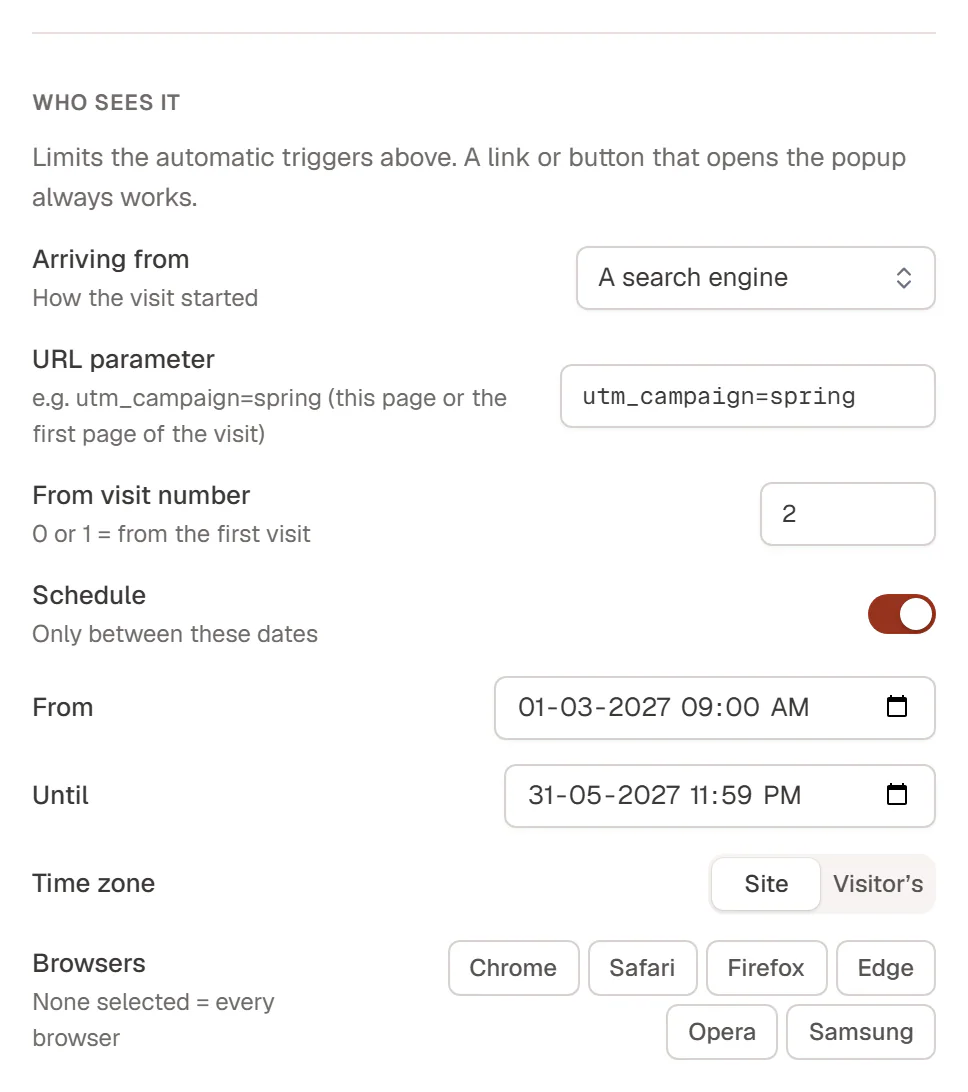
To open the drawer, go to Urmi → Theme Builder → Popups, open the popup's ⋯ menu and choose Popup settings…. Change the rules, then click Save changes.
What the rules limit
The rules only limit the automatic triggers (page load, scroll, exit intent and so on). A link or button that opens the popup, and the On click trigger, always work, so a visitor who asks for the popup gets it.
All rules must be true for the popup to open. They are checked in the visitor's browser, so they also work on pages served from a cache.
The rules
| Rule | What it does |
|---|---|
| Arriving from | How the visit started: Anywhere (no limit), A search engine, Another website, A page of this site, Nowhere (typed or bookmarked) or A URL containing…. |
| Referrer contains | With A URL containing…: part of the address the visitor came from, for example facebook.com or newsletter. |
| URL parameter | Only when the address has this parameter, on the current page or on the first page of the visit. Type utm_campaign to require the parameter, or utm_campaign=spring to require that value. |
| From visit number | Only from the visitor's Nth visit to your site, for example 2 for returning visitors. 0 or 1 = from the first visit. |
| Schedule | Only between two moments. Set From and Until (either can stay empty) and the Time zone: Site (your site's time zone, the same moment for everyone) or Visitor’s (each visitor's local time). |
| Browsers | Only in these browsers: Chrome, Safari, Firefox, Edge, Opera, Samsung. None selected = every browser. |
How visits are counted
- A visit starts when someone opens your site in a new browser tab or window, and lasts until they close it.
- Arriving from looks at the page the visit came from: the search engine, the other website, or nothing for typed addresses and bookmarks. The choice is remembered for the whole visit, so a visitor who came from Google still matches A search engine on their third page. A page of this site checks the previous page.
- Search engines recognised include Google, Bing, Yahoo, DuckDuckGo, Ecosia, Qwant, Startpage, Brave Search, Yandex, Baidu, Naver and Seznam.
- URL parameter matches the current page or the page the visit started on, so a campaign visitor still matches after clicking to another page.
- From visit number counts visits in the visitor's browser. Clearing browser data, another browser or another device starts again at 1.
When a schedule with the site time zone has ended, the popup is no longer added to your pages at all.
Other ways to target
- Pages: where the popup can appear is set by its display conditions.
- Logged-in or logged-out visitors, devices and how often: see Frequency & devices.
Examples
| Goal | Rules |
|---|---|
| Welcome offer for search visitors | Arriving from: A search engine |
| Campaign popup | URL parameter: utm_campaign=spring |
| Newsletter prompt for returning readers | From visit number: 2 |
| Spring promotion | Schedule: From 1 March, Until 31 May, Time zone: Site |