Query loop containers
Repeat a container for every post or term of a query, right on the page.
On this page
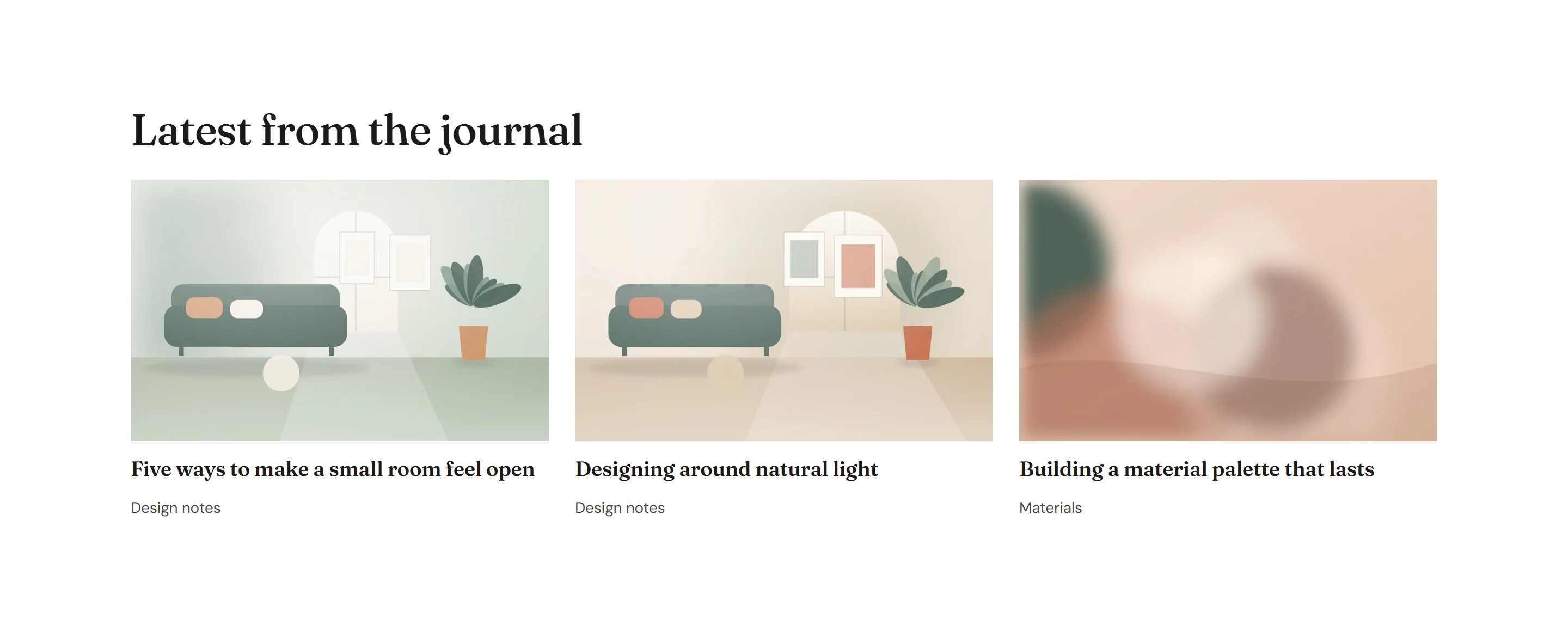
Any container can become a loop: it repeats once for every post (or every category, tag or other term) of a query, and the widgets inside it show that item through dynamic tags. You design one card directly on the page, without creating a template first. Use it for a row of latest posts, a list of categories, related articles under a blog post and similar lists.
Build a query loop
Add a parent container
Add a container that will hold the copies and lay them out, for example a grid with three columns (Design tab → Layout). See Grid layouts.
Design one card
Inside it, add a container for the card and put your widgets in it: an Image, a Heading, a Text, a Button.
Connect the widgets to the post
Select each widget and add a dynamic tag to its settings: Featured image on the Image, Post title on the Heading's title and Post URL on its link, Post excerpt on the Text. See Dynamic tags.
Turn on the loop
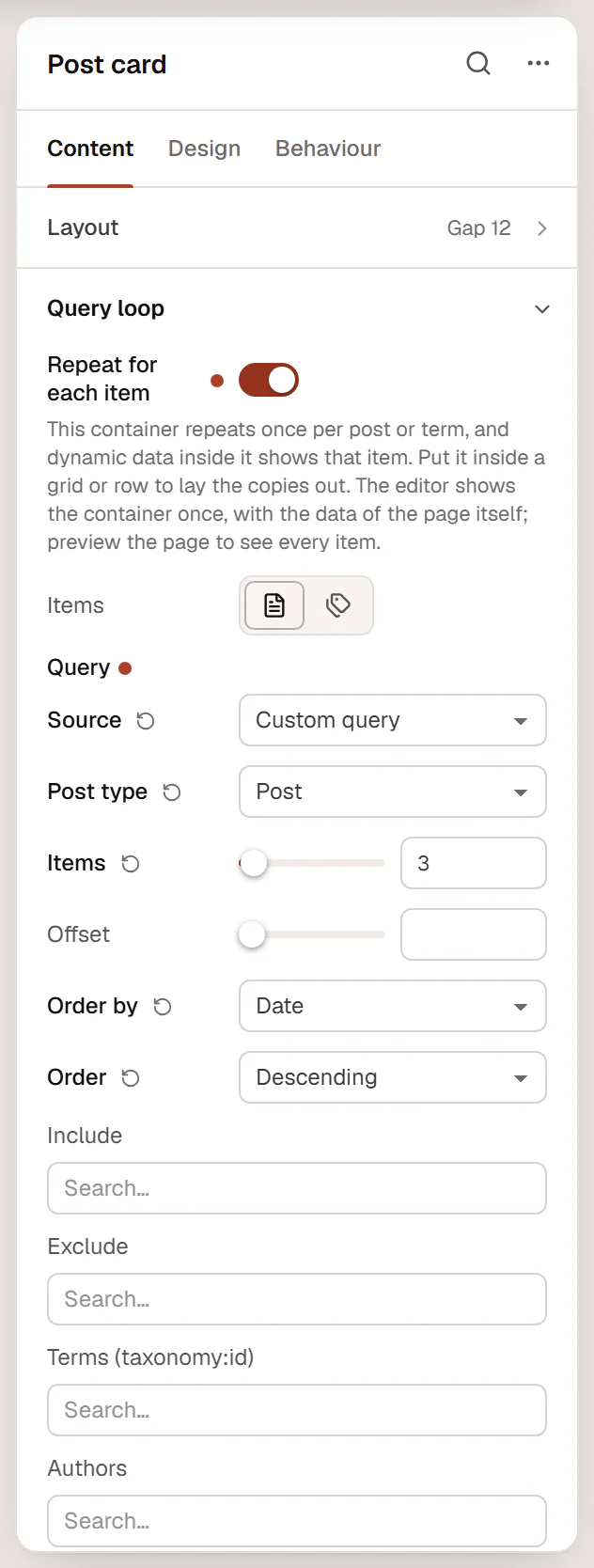
Select the card container, open Content → Query loop and turn on Repeat for each item. Choose Posts or Terms under Items and set the query.
Check the result
Click Preview in the top bar. The live page shows one card per item, laid out by the parent container.
The container repeats itself, not its parent. Always put the looping card inside a grid or row container, otherwise the copies stack one below the other.
Loop over posts
With Items: Posts, the query settings are the same as in the Loop Grid:
| Setting | What it does |
|---|---|
| Source | Custom query (you choose the posts), Current query (archives) (the posts of the archive, blog or search page being viewed), Related to current post or Manual selection (posts you pick one by one). |
| Post type | Posts, pages or any public custom post type. |
| Items | How many posts to show (1 to 100). |
| Offset | Skips the first posts, for example to leave out the newest one that is already featured above. |
| Order by | Date, Last modified, Title, Menu order, Comments, Random or Manual order. |
| Order | Descending or Ascending. |
| Include / Exclude | Always show, or never show, these posts. |
| Terms (taxonomy:id) | Only posts with these categories, tags or other terms. |
| Authors | Only posts by these authors. |
| Ignore sticky posts | Sticky posts are not moved to the top. |
| Exclude current post | Leaves out the post being viewed, for example under a blog post. |
| Avoid duplicates | Skips posts already shown higher up on the same page by another query loop, a Loop Grid or a Loop Carousel. |
The settings you see depend on Source: Current query needs nothing else, Manual selection only shows Include, and Related to current post shows Items, Order by and Order. Related posts are posts of the same type that share a category (or a term of another hierarchical taxonomy) with the post being viewed.
Only published posts of public post types are shown. Current query uses the posts of the archive the visitor is on; anywhere else, and in the editor, it shows your latest posts.
Loop over terms
With Items: Terms, the container repeats for each category, tag or other public term:
| Setting | What it does |
|---|---|
| Taxonomy | Which list of terms: Categories, Tags or a custom taxonomy. |
| Which terms | All terms, or Terms of this post (the terms of the post being viewed, or of the loop item). |
| Order by | Name, Number of posts, Custom order or Newest. |
| Order | Ascending or Descending. |
| Number of terms | 1 to 100 (12 by default). |
| Hide empty terms | Leaves out terms that have no posts. On by default. |
Inside a term loop, use the Term (loop) tags: Term name, Term link, Term description and Term post count. A row of category buttons, for example, is a Button with Term name as its text and Term link as its link.
When nothing is found
When nothing is found sets a short text, such as "No posts yet.", shown in place of the loop when the query returns no items. Leave it empty to show nothing.
In the editor
The canvas shows the container once so that you can design the card. Its dynamic tags are filled with the page's own data (or, in a template, with the Preview with post), not with the loop's items: a Post title tag shows the page title, for example. The real items appear on the live page and in Preview. In the Layers panel, a looping container is marked with a repeat icon.
Query loop or Loop Grid?
Both show posts with a card design. Choose by what you need:
| Query loop container | Loop Grid / Loop Carousel widget |
|---|---|
| You design the card right on the page. | The card is a loop item template you reuse on many pages. |
| Loops over posts or terms. | Loops over posts. |
| No pagination. | Pagination, Load more and infinite scroll, loop filters, masonry, an alternate card, a carousel. |