Maintenance & coming soon
Show a coming soon or maintenance page to visitors while you build or fix your site.
Close your site to visitors while you build it or while you fix something. Visitors see a page of your choice, or a simple built-in notice, while you and the people you allow keep working on the real site.
Go to Urmi → Settings → Access & roles. The Site access card is at the top.
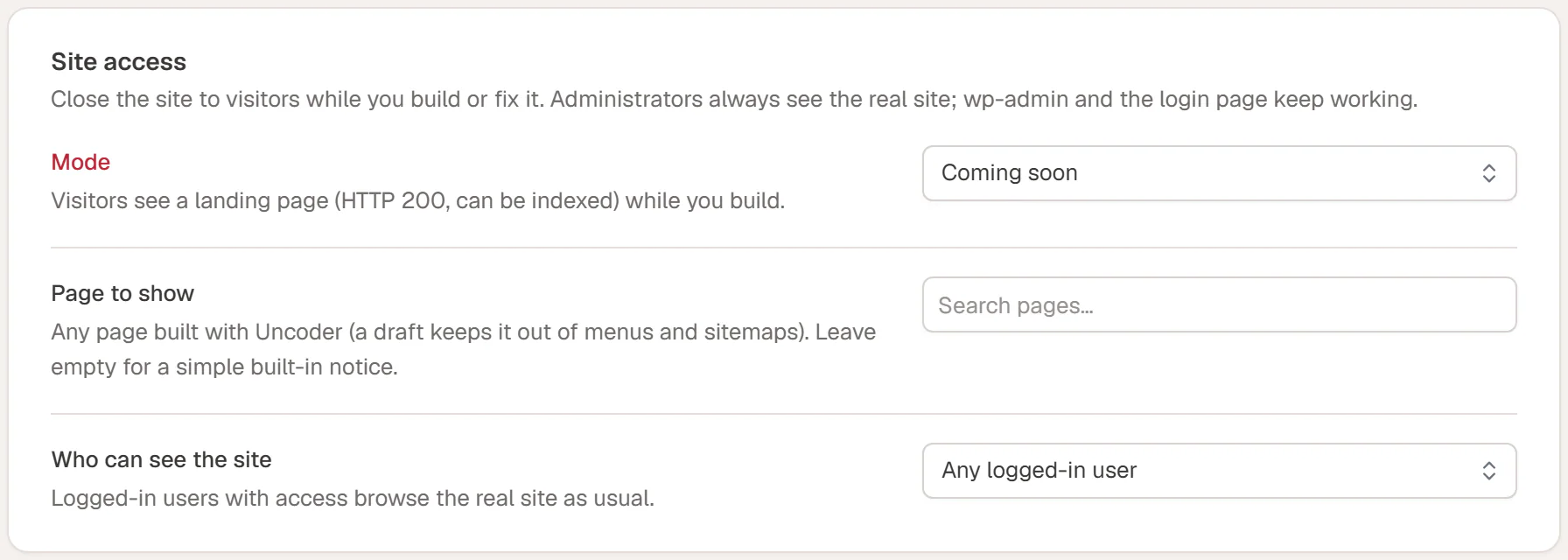
Choose a mode
| Mode | What visitors get | When to use it |
|---|---|---|
| Off | The normal site. | Default. |
| Coming soon | Your coming soon page, with a normal "OK" answer (HTTP 200), so search engines can index it. | A new site that is not ready yet. |
| Maintenance | Your maintenance page, with a "temporarily unavailable" answer (HTTP 503). Search engines keep your existing pages in their results and check back later. | A live site you are fixing or rebuilding for a short time. |
Turn it on
Build the page to show (optional)
Create a page with Urmi, for example "We are opening soon" with your logo, a short message and a newsletter form. Keep it as a draft: a draft stays out of your menus and sitemaps, and Urmi can still show it.
Choose the mode
In Site access, set Mode to Coming soon or Maintenance.
Choose the page
In Page to show, search for your page and pick it. It must be a page built with Urmi. Leave it empty to show a simple built-in notice with your site name and "Coming soon" or "We'll be back soon".
Choose who can see the real site
Set Who can see the site to Any logged-in user, or to Only these roles and tick the roles.
Save
Click Save changes in the bar at the bottom of the screen.
Once a page is chosen, a link Edit "…" with Urmi appears under the field, so you can open it directly.
What visitors and you see
- Visitors who are not logged in, and logged-in users without access, see only the chosen page: no theme header or footer, no popups and no admin bar.
- Administrators always see the real site.
- Other logged-in users see the real site if Who can see the site allows them.
- wp-admin and the login page keep working, so nobody gets locked out. The REST API, background tasks,
robots.txtand the site icon keep working too.
While a mode is on, administrators see a red Coming soon mode is on or Maintenance mode is on item in the WordPress toolbar, and Access & roles has a warning mark in the settings list. Click the toolbar item to go straight to the setting.
Open your site in a private browser window, where you are not logged in.
Turn it off
Set Mode to Off and click Save changes. The site is open again immediately.
If you use a caching plugin, clear its cache after turning the mode on or off, so visitors do not get an old copy.
Related
- Roles & access
- Performance (caching plugins)
- Settings overview