Triggers
Open a popup on page load, scroll, exit intent, click, inactivity or after page views.
On this page
Triggers decide when a popup opens by itself: after a few seconds, when the visitor scrolls halfway, when they are about to leave, when they click something, or after a moment without activity. Turn on one or more triggers; the first one that fires opens the popup.
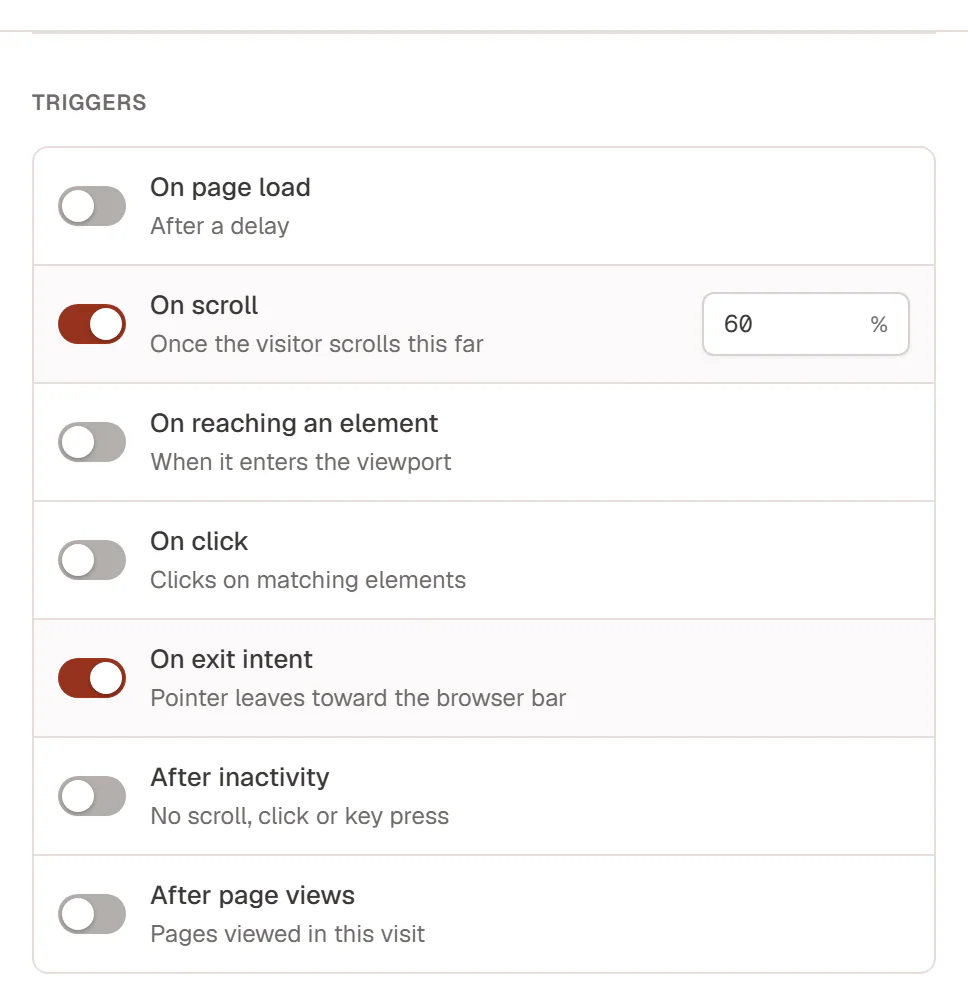
Set triggers in the Theme Builder's Popup settings drawer (Triggers) or in the editor's Popup tab (Opens when). Turn a trigger on to see its setting.
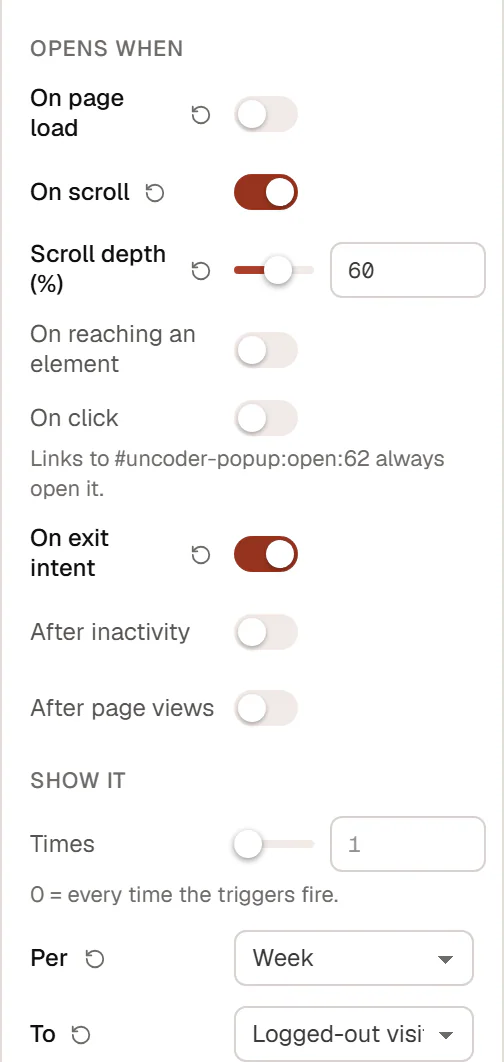
The triggers
| Trigger | Opens the popup | Setting |
|---|---|---|
| On page load | A set time after the page loads. | Delay: 0 to 600 seconds (3 by default). |
| On scroll | When the visitor has scrolled a share of the page. | Scroll depth: 1 to 100 % (50 by default). |
| On reaching an element | When an element comes into view, for example the pricing section. | Element selector: a CSS selector such as #pricing. |
| On click | When the visitor clicks an element that matches the selector. | Click selector: a CSS selector such as .open-newsletter. |
| On exit intent | When the pointer leaves the window toward the browser's address bar or tabs, a sign the visitor is about to leave. | — |
| After inactivity | When the visitor has not scrolled, clicked, typed or moved the mouse for a while. | Idle time: 3 to 3600 seconds (30 by default). |
| After page views | When the visitor has seen a number of pages in this visit. Combined with other triggers, it makes them wait until then instead. | Page views: 1 to 100 (3 by default). |
A new popup starts with On page load after 3 seconds.
Good to know
- Element selectors. Give the element an Anchor ID in Behaviour → Anchor & classes (for example
pricing) and type it with a hash:#pricing. For On click, add a class to the elements (for exampleopen-newsletter) and type it with a dot:.open-newsletter. See Anchor, classes & attributes. - On click opens every time. A click is a clear request, so it opens the popup even when the frequency limit or the targeting rules would stop an automatic trigger.
- Exit intent needs a mouse. It does not fire on phones and tablets. Combine it with another trigger, such as On scroll, to reach touch devices.
- After page views, alone or combined. As the only trigger, it opens the popup about a second after the page loads, once the visitor has reached the number of pages. With other triggers turned on, it holds them back until then: After page views: 3 with On scroll: 50 % opens the popup when the visitor scrolls halfway down their third page.
- Once per page. An automatic trigger opens the popup at most once per page view, even if several triggers fire. How often it may open across pages and visits is set with frequency.
- No trigger at all. Turn every trigger off and the popup only opens from a link or button. The Theme Builder then shows Link only in its Opens column. See Open from a link.
Triggers only work on pages where the popup is available, which you set with its display conditions.